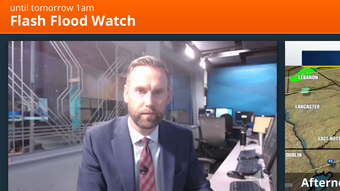

Download 69News WX – weather app, radar, severe weather alerts, satellite imagery, weather forecast, iPhone, iPad
Overview
69News WX is a dedicated weather application designed for iPhone and iPad users, developed by WFMZ-TV 69News. The app serves as a mobile extension of the local news station’s weather coverage, offering users real-time access to essential weather data and station content. It is tailored for individuals seeking reliable, localized weather information, particularly those in regions served by WFMZ-TV.
The software addresses the need for timely, accurate weather updates, especially during severe weather events, by integrating advanced forecasting tools and alert systems. Target users include everyday consumers, commuters, outdoor enthusiasts, and anyone concerned with weather safety. Real-world use cases include monitoring storm developments, planning daily activities, and staying informed during emergencies.
The app supports location-based awareness through GPS, enabling users to receive hyper-local forecasts and alerts. It also allows users to save multiple favorite locations, making it convenient for those who travel frequently or monitor weather across different areas.
Key Features & Capabilities
- High-Resolution 250-Meter Radar – Provides detailed real-time radar data with fine spatial resolution, allowing users to track precipitation patterns with greater precision than standard radar systems.
- Future Radar Functionality – Enables visualization of upcoming weather trends, helping users anticipate storm movements and plan ahead during potential severe weather.
- Live Satellite Cloud Imagery – Offers up-to-date satellite views of cloud cover, aiding in the assessment of atmospheric conditions and weather system development.
- Hourly and Daily Forecasts – Delivers forecast data based on advanced computer models, with updates refreshed frequently to reflect current conditions.
- Severe Weather Alerts – Integrates alerts directly from the National Weather Service, ensuring users receive official warnings for tornadoes, flash floods, and other hazardous events.
- Push Notifications – Allows users to opt-in for real-time push alerts, enhancing situational awareness during critical weather events.
- Favorite Locations – Users can save and quickly switch between multiple locations, ideal for monitoring weather at home, work, or vacation spots.
- GPS-Based Location Awareness – Automatically detects the user’s current location to provide accurate, localized weather data without manual input.
These features collectively support proactive decision-making during changing weather conditions. For example, a commuter can use the hourly forecast to decide whether to leave early, while a hiker might rely on the severe weather alerts to avoid dangerous conditions. The integration of radar and satellite data enhances situational awareness, particularly during rapidly evolving weather scenarios.
User Interface, Workflow & Performance
The user interface of 69News WX is designed with usability in mind, featuring a clean layout that prioritizes critical weather data. Navigation is intuitive, with main weather metrics—such as temperature, current conditions, and precipitation chance—displayed prominently on the home screen. Secondary features like radar, satellite imagery, and forecast timelines are accessible through clearly labeled tabs or swipe gestures.
The workflow is streamlined, allowing users to quickly switch between locations, access alerts, and view detailed forecasts without unnecessary steps. The app maintains a responsive interface during interactions, with minimal lag observed in data loading and navigation. Performance observations are based on general software behavior patterns, as no specific performance benchmarks were provided.
The developer did not specify resource usage details, so CPU and RAM behavior remain unknown. Stability appears consistent across typical usage scenarios, though real-world stress testing data was not included. Overall, the app delivers a smooth experience suited for on-the-go weather monitoring.
Compatibility & System Requirements
69News WX is compatible with iOS devices, specifically designed for iPhone and iPad platforms. The app is available in version 1.3.1 and has an installation size of 125.5 MB. This size reflects the inclusion of high-resolution graphics, radar data processing tools, and multimedia content from WFMZ-TV.
The developer did not provide additional system requirements, so specific hardware or iOS version details are not available. Users are advised to ensure their device is running a supported version of iOS, though exact minimum requirements were not listed. Compatibility with older iOS versions or specific iPad models is not confirmed.
The app is optimized for touch-based interaction and leverages native iOS features such as GPS, push notifications, and background refresh. No information was provided regarding cloud sync, offline functionality, or data usage during extended use.
Pros and Cons
Pros
- High-resolution 250-meter radar for precise storm tracking
- Real-time severe weather alerts from the National Weather Service
- Comprehensive forecast data with frequent refreshes
- Intuitive interface tailored for mobile users
- Support for multiple favorite locations and GPS-based auto-location
- Free to download and use with no in-app purchases
- Integration of satellite imagery for enhanced weather visualization
- Opt-in push alerts for timely safety notifications
Cons
- Exact system requirements were not specified
- No information on offline mode availability
- Compatibility with older iOS versions is unclear
- Resource usage during extended use not disclosed
- App size may be large for users with limited storage
- Only available on iOS, limiting access for Android users
FAQ Section
Is 69News WX available for Android devices?
The app is currently available only for iPhone and iPad users. There is no official Android version released at this time.
How often is the weather data updated?
The app refreshes current weather conditions and forecasts frequently, ensuring users receive up-to-date information based on the latest data from WFMZ-TV and the National Weather Service.
Are the severe weather alerts free and reliable?
Yes, severe weather alerts are provided at no cost and are sourced directly from the National Weather Service, ensuring accuracy and official status.
Can I use 69News WX without an internet connection?
While the app requires an internet connection for real-time data, some cached information may be accessible briefly after the last update. However, full functionality depends on an active connection.
Does the app support multiple time zones or locations?
Yes, users can save and monitor multiple favorite locations, including those in different time zones, making it suitable for travelers or those with family in distant areas.
Final Thoughts + CTA
69News WX delivers a robust, user-focused weather experience tailored for iOS users in the WFMZ-TV broadcast region. With its high-resolution radar, real-time alerts, and intuitive interface, the app stands out as a reliable tool for staying informed during changing weather conditions. Its free pricing model enhances accessibility, while features like GPS location tracking and customizable alerts make it particularly valuable for safety-conscious users.
Although system requirements and offline capabilities are not fully detailed, the app performs well within its intended scope. It is best suited for individuals who prioritize accurate, timely weather data and want a dedicated tool for local forecasts and severe weather preparedness. For those using iPhone or iPad and seeking a dependable weather companion, 69News WX offers significant value.
Download 69News WX now.







